
As some apps are now apparently being removed from Android-Google TV and sometimes you will get a harmful error app - which you can install anyway - you may want to disable the scanning tool Play Protect on your Android TV or Google TV device.
Use the guide below to follow the easy instructions on disabling it which can also be re-enabled at any time using the same steps.
Warning: Turning off Play Protect opens the door for shady third‑party apps to slip malware and viruses onto your device. The Downloader codes you find on my site are always scanned through VirusTotal which I would advise you to do if you have downloaded a file when not using a code from this site. I would also recommend using a VPN and you can find a great deal from IPVanish below.
VPN Offers from IPVanish
- VPN with malware & tracker blocking
- Cloud-based, threat-proof browsing
- RAM Only Servers
- Unlimited connections. Connect all your new devices
- Protect your browsing data with a verified no-logs VPN
- Encrypt your connection to any Wi-Fi network
- Costs as little as $2.19 a month
- Securely access streaming services & live sports
- 3GB eSIM Data
- 30 days money back guarantee
[Use the link below] to find good deals from IPVanish.

For Google TV. Android TV is below this
- Open Google TV
- On Home Screen go to Settings
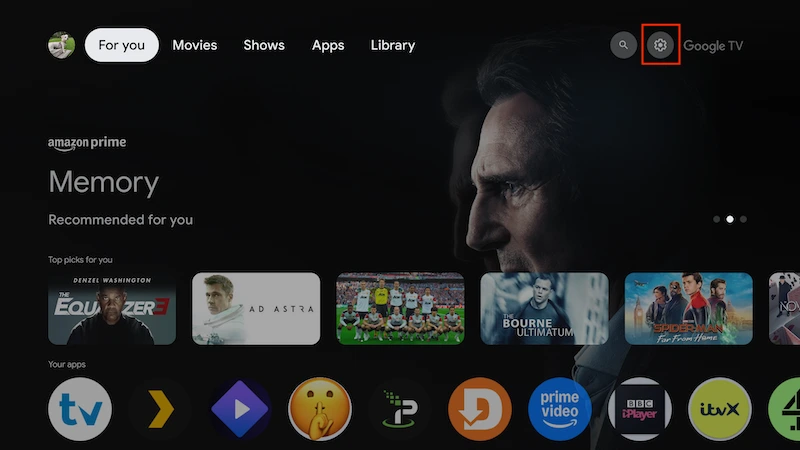
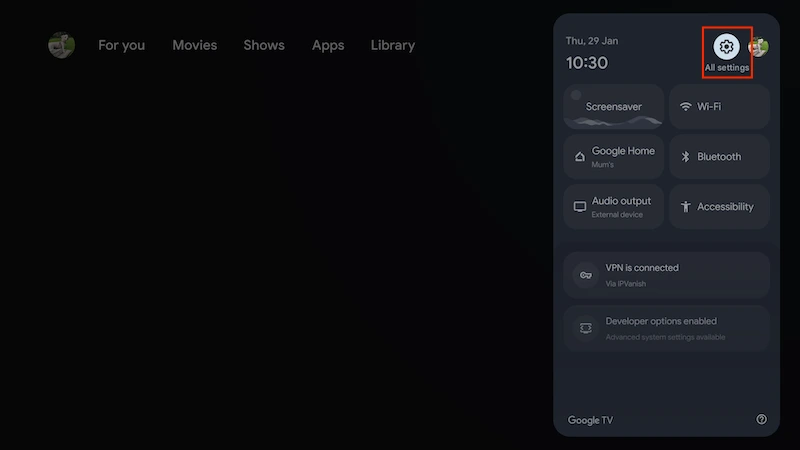
- Now select All Settings if necessary. Some devices will go straight to the next screen
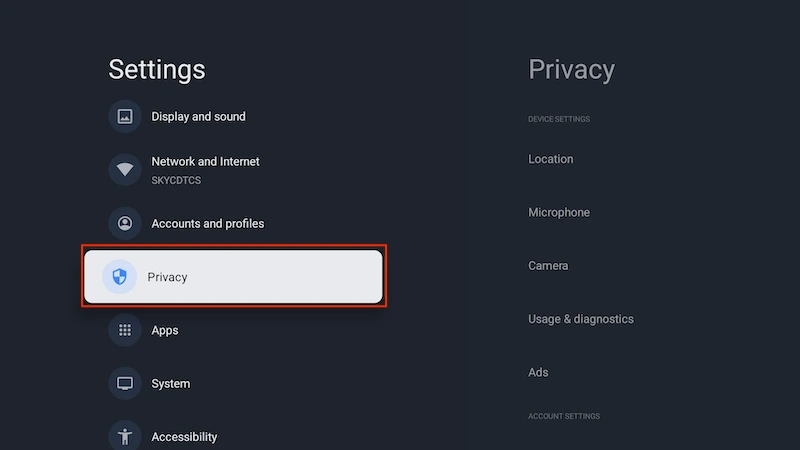
- Select Privacy
- Select Security
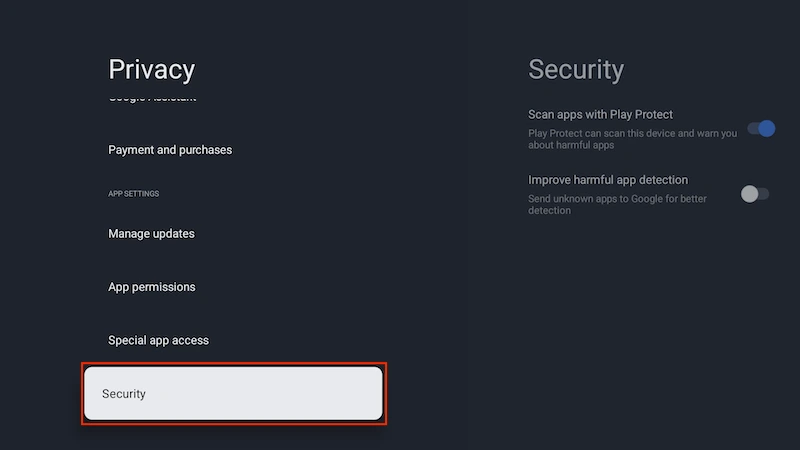
- Turn off Scan Apps with Play Protect
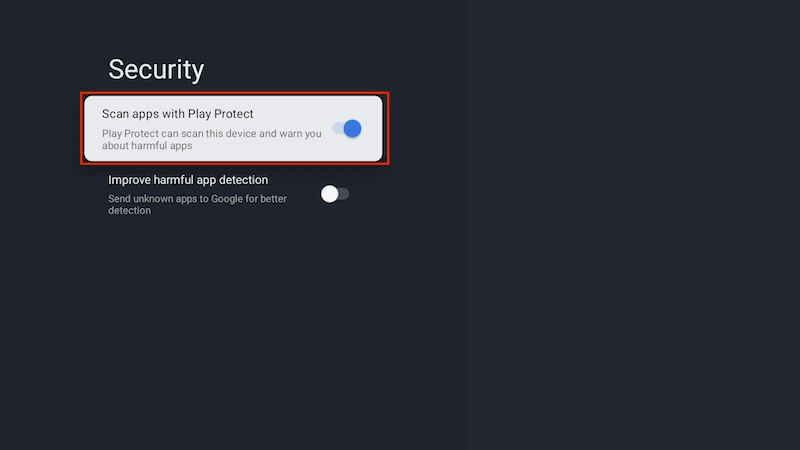
- Follow the same steps to turn it back on when you need to
On Android TV
- Open Android TV
- From the home screen, open Google Play Store
- Click on your avatar in the top right corner
- Select Play Protect
- Click on Scan Apps with Play Protect to disable it
- Follow the same steps to turn it back on when you need to
Legal Disclaimer: This tutorial is purely educational. Seo-Michael.co.uk doesn’t own, host, operate, resell, or distribute any streaming apps, addons, websites, IPTV or services. The page contains some unverified services, and we are not certain whether they hold legal licenses to distribute the content. Seo-Michael.co.uk does not verify the legality of each app/service in all regions. Do your due diligence if you use any of the unverified apps/services, and stream only content that is available in the public domain. The end-user shall be solely responsible for the media accessed.
