
StremVerse is a Stremio addon focused on bringing sports and events - Cricket (including IPL), Football, F1, Boxing - into a clean, simple interface. It aggregates multiple sources and is designed to be fast and easy to use.
It only shows live streams and so some channels will not work when there is nothing showing.

How to Install Stremverse for Stremio
- Open Stremio
- Select the Add-ons section from the left hand side and then select
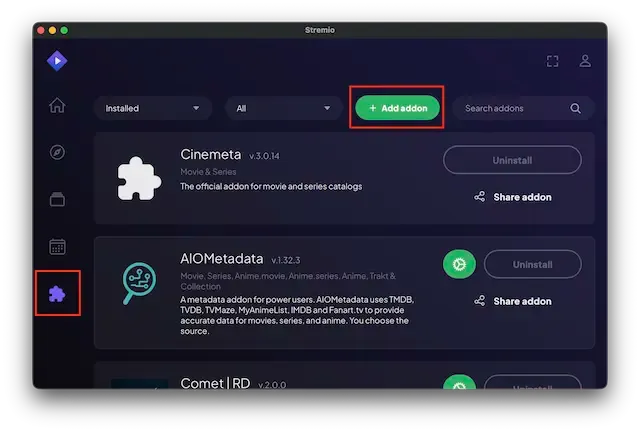
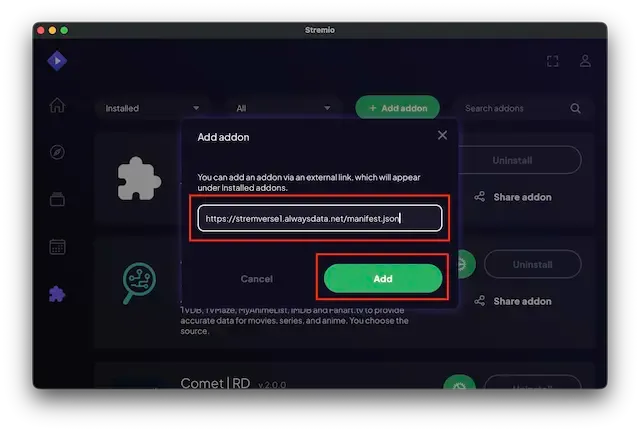
- Post the following in the add-on bar
https://stremverse1.alwaysdata.net/manifest.jsonand select Add
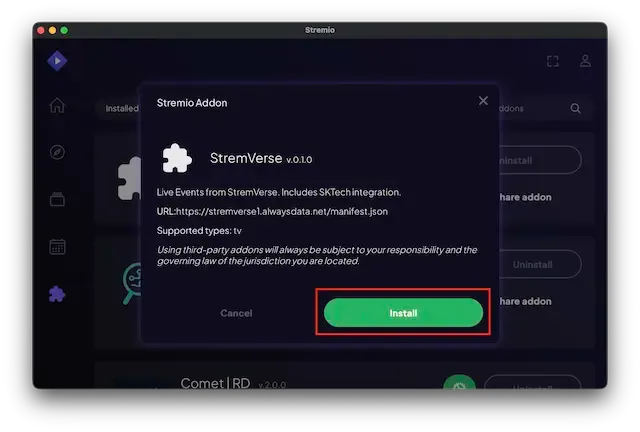
- Select Install
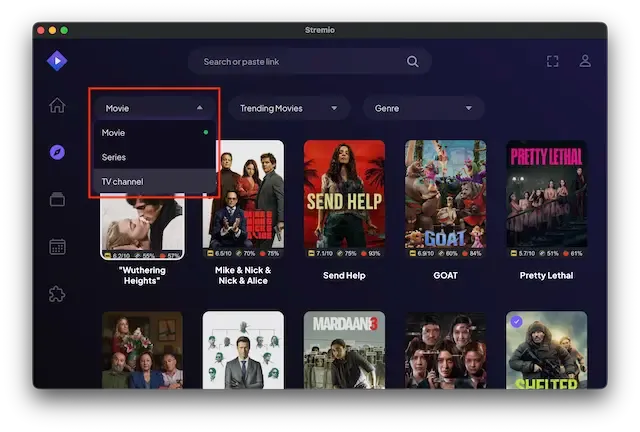
- Now click on the Discover tab from the left hand menu
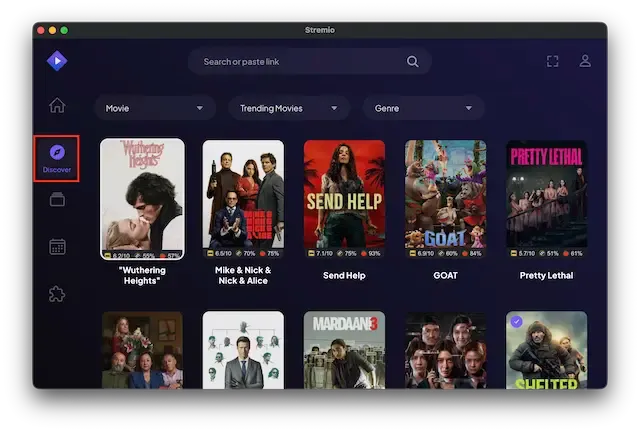
- Click on the Movies dropdown and select TV Channels
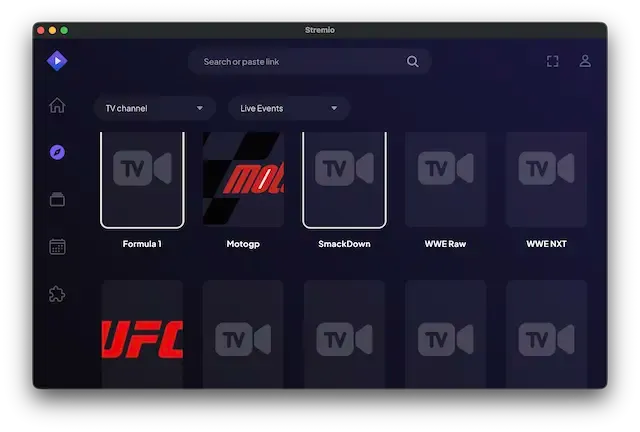
- Your selection is now available
Legal Disclaimer: This tutorial is purely educational. Seo-Michael.co.uk doesn’t own, host, operate, resell, or distribute any streaming apps, addons, websites, IPTV or services. The page contains some unverified services, and we are not certain whether they hold legal licenses to distribute the content. Seo-Michael.co.uk does not verify the legality of each app/service in all regions. Do your due diligence if you use any of the unverified apps/services, and stream only content that is available in the public domain. The end-user shall be solely responsible for the media accessed.