
THIS ADD-ON IS ONLY FOR PEOPLE WHO HAVE THEIR OWN M3U LIST SO THEY CAN ADD IT TO THE IPTV CLIENT TO WATCH CHANNELS.
- Protect your browsing data with a verified no-logs VPN
- Encrypt your connection to any Wi-Fi network
- Securely access streaming services & live sports
- 30 days money back guarantee
Use the link below to find good deals from IPVanish.

How to Install and Setup IPTV Simple Client for Kodi
- Open Kodi
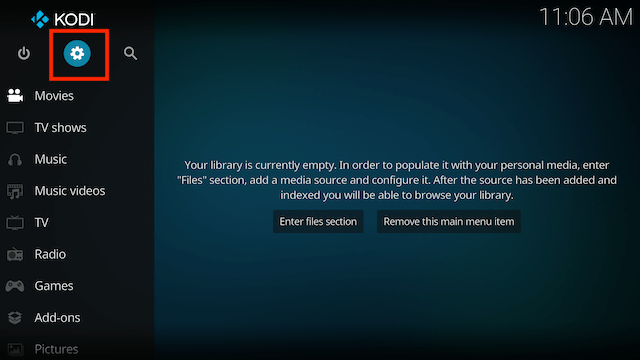
- Select Settings (cog icon top left) - It may be System > Settings depending on which skin you are using
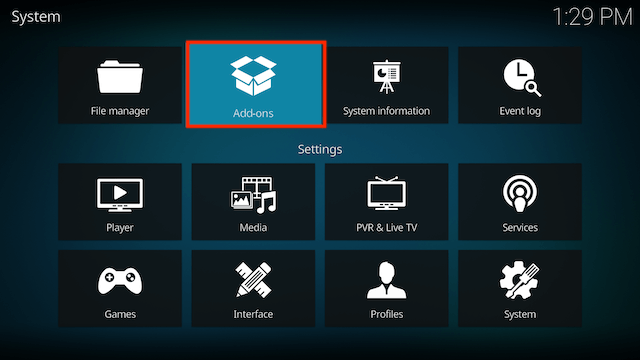
- Select Add-ons
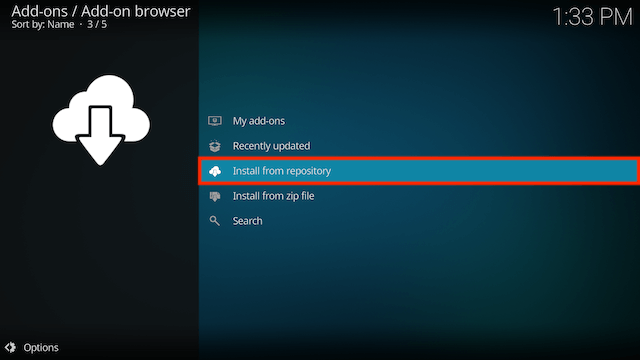
- Select Install from Repository
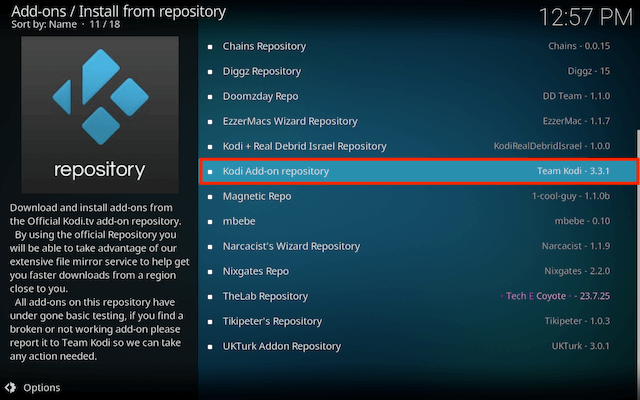
- Select Kodi Add-on repository
- Select PVR Clients
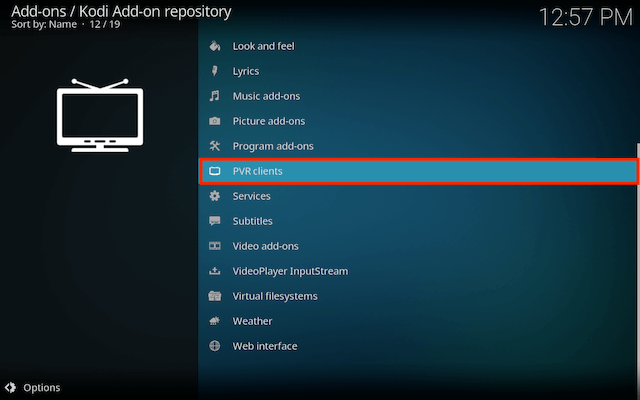
- Select IPTV Simple Client
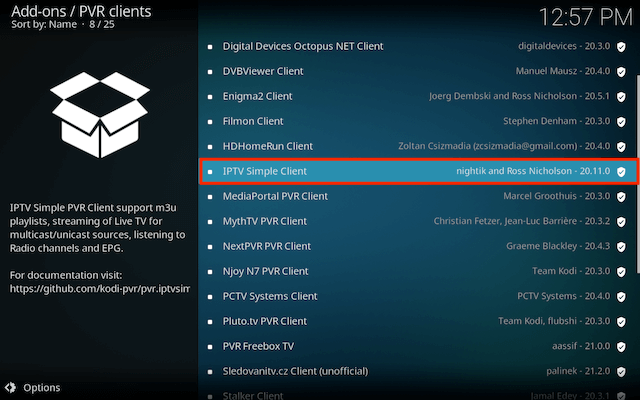
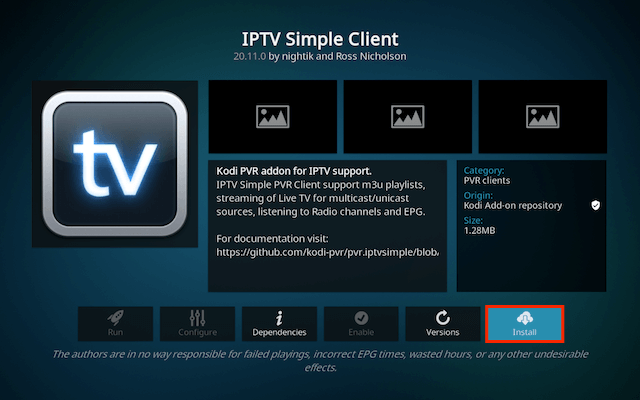
- Select Install
- Select OK
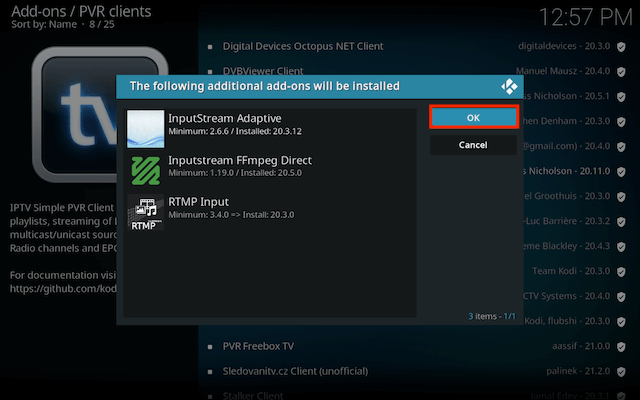
- Wait for it to install
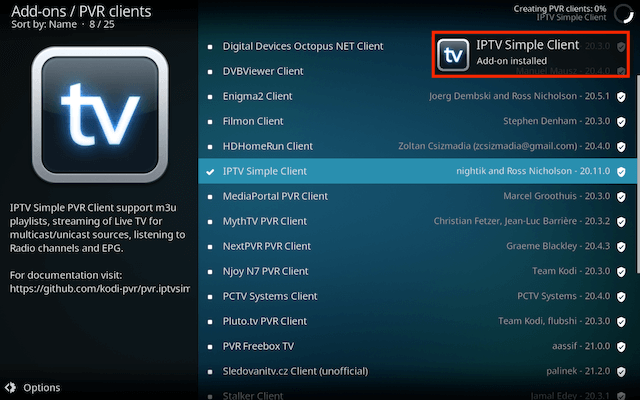
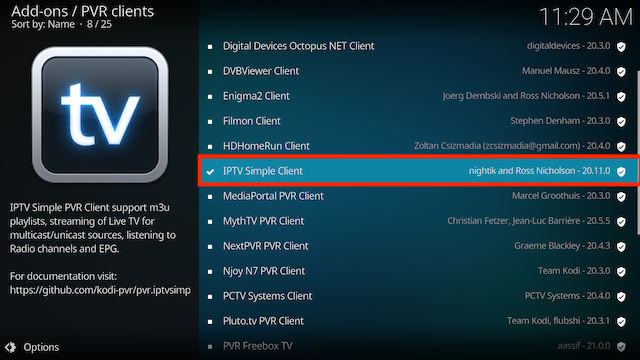
- Select IPTV Simple Client again
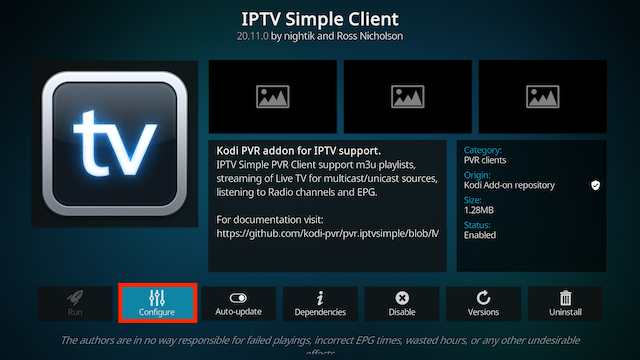
- Select Configure
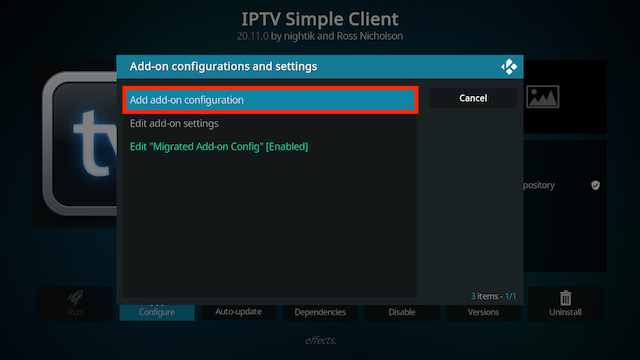
- Select Add add-on configuration
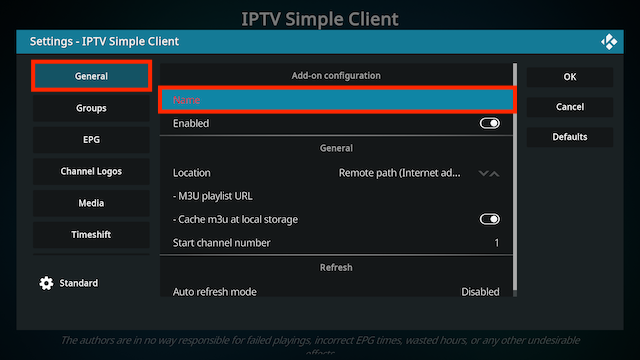
- Select General (left hand sectioon) and then in right hand section select Name and give your list a name
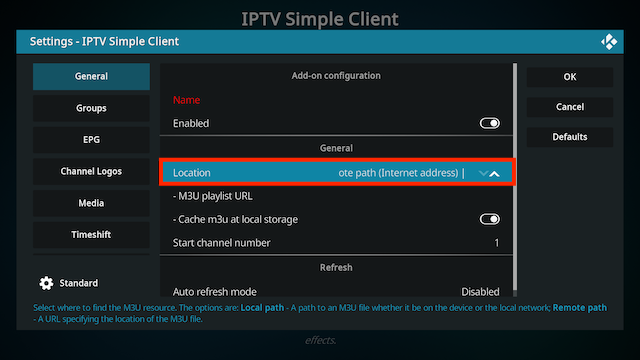
- Now select Location. Choose Remote if you have a URL for the M3U list. Choose Local Path if you have an M3U list downloaded on your device
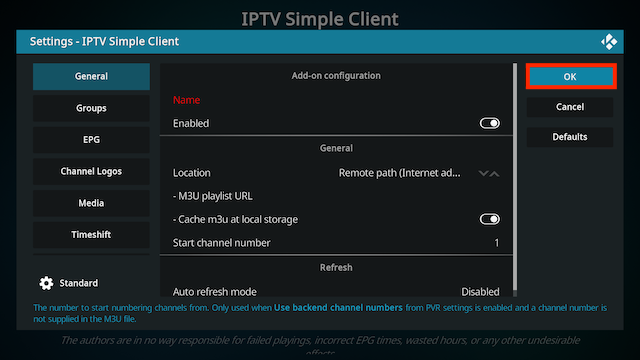
- Select OK
- Wait for notification of channels loaded
- Now when you go back to the Home Screen and select TV you should see your channels listed
- Protect your browsing data with a verified no-logs VPN
- Encrypt your connection to any Wi-Fi network
- Securely access streaming services & live sports
- 30 Days Money Back Guarantee
Use the link below to find good deals from IPVanish.
More Kodi Add-Ons Available Here
Legal Disclaimer: This tutorial is purely educational. Seo-Michael.co.uk doesn’t own, host, operate, resell, or distribute any streaming apps, addons, websites, IPTV or services. The page contains some unverified services, and we are not certain whether they hold legal licenses to distribute the content. Seo-Michael.co.uk does not verify the legality of each app/service in all regions. Do your due diligence if you use any of the unverified apps/services, and stream only content that is available in the public domain. The end-user shall be solely responsible for the media accessed.
