
AREA 69 PASSWORD WERTY
Below is a guide for installing the Area 69 add-on for Kodi. This is a 3rd party add-on so please do not post questions about this add-on in the official Kodi forums.
Add-On Offers:
- xxx adult content
VPN Offers from IPVanish
- VPN with malware & tracker blocking
- Cloud-based, threat-proof browsing
- Unlimited connections. Connect all your new devices
- Protect your browsing data with a verified no-logs VPN
- Encrypt your connection to any Wi-Fi network
- Costs as little as £1.58/$2.19 a month
- Securely access streaming services & live sports
- 30 days money back guarantee
[Use the link below] to find good deals from IPVanish.

How to Install Area 69 on Kodi for Firestick or Android Device:
- Open Kodi
- Select Settings (cog icon top left)

- Select File Manager
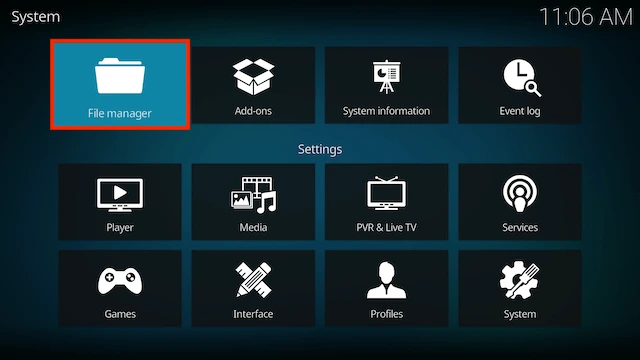
- Select Add Source

- Select None

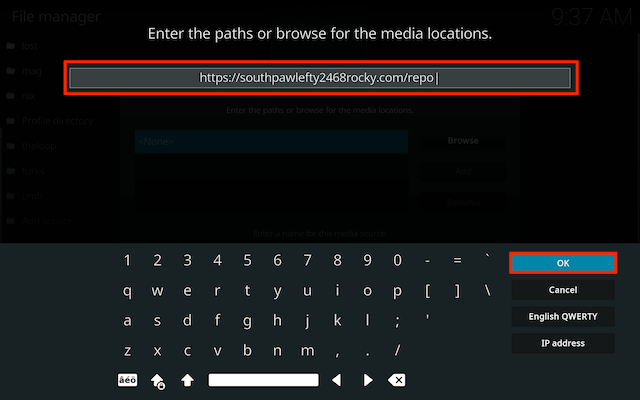
- Type the following EXACTLY
https://southpawlefty2468rocky.com/repoand select OK
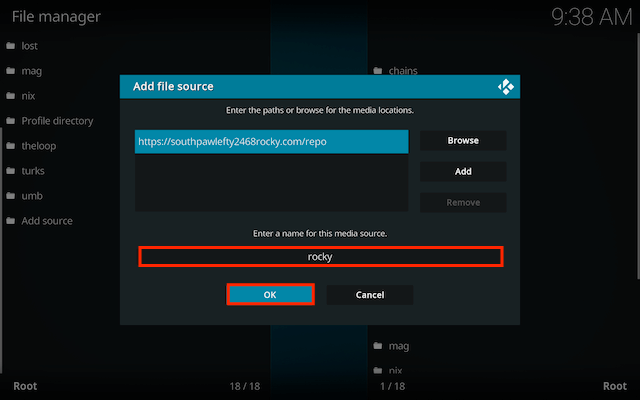
- Highlight the box underneath marked Enter a name for this media source, type rocky then click OK
- Click back on your remote/keyboard
- Select Add-ons
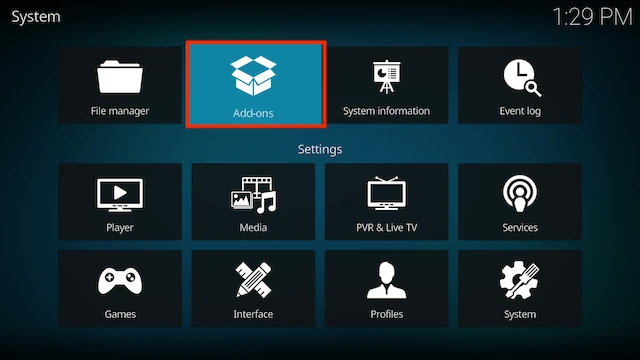
- Select Install from zip file
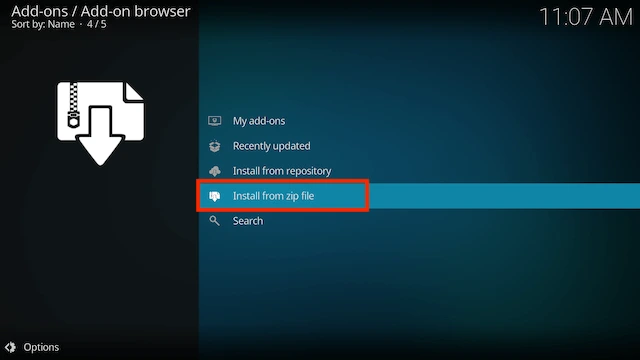
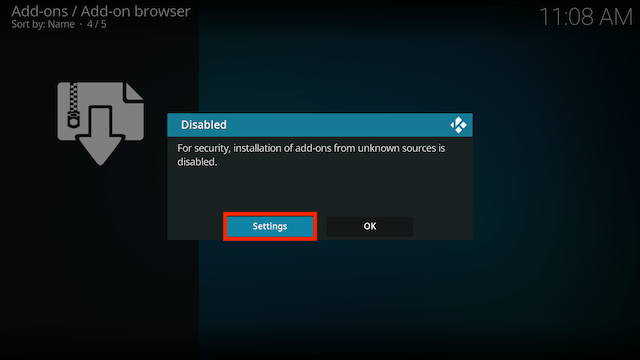
- If you are doing this on a fresh install you will see a message saying this has been disabled. Just keep following the guide and we'll fix that. If you already have installing from zip files (unknown sources) enabled just skip the next 4 steps
- Click on Settings
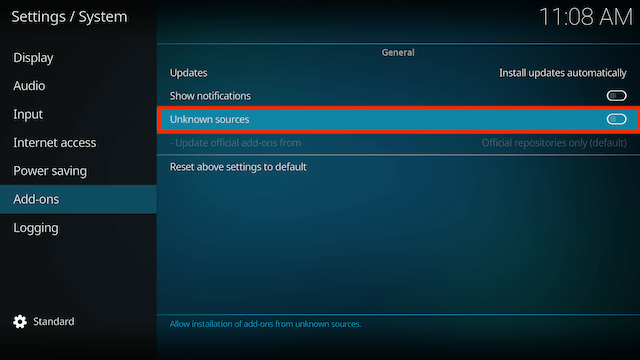
- Turn on Unknown sources
- Select Yes
- Press back once your remote/keyboard and select Install from zip file again
- Select rocky
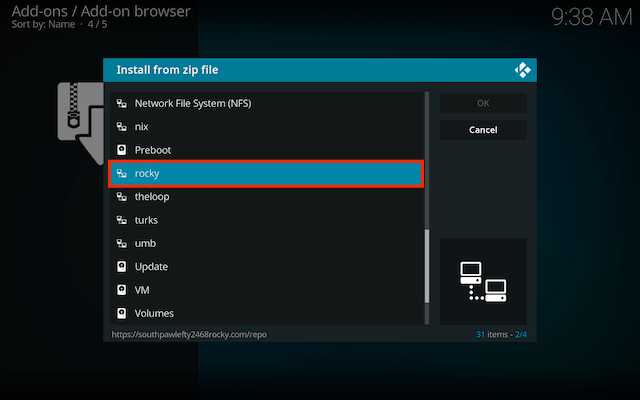
- Select repository.southpaw-x.x.x.zip
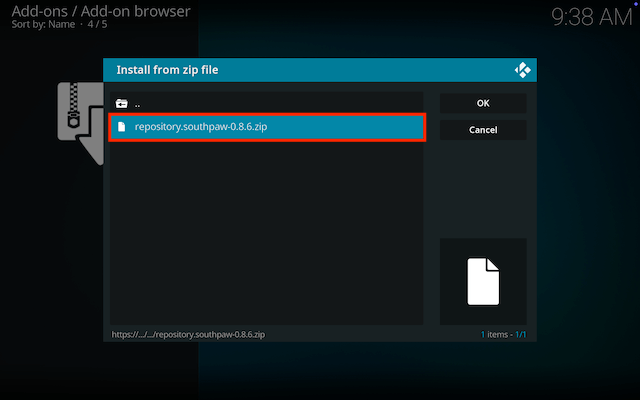
- Wait for the Add-on enabled notification
- Select Install from Repository

- Select The SouthPaw Repository
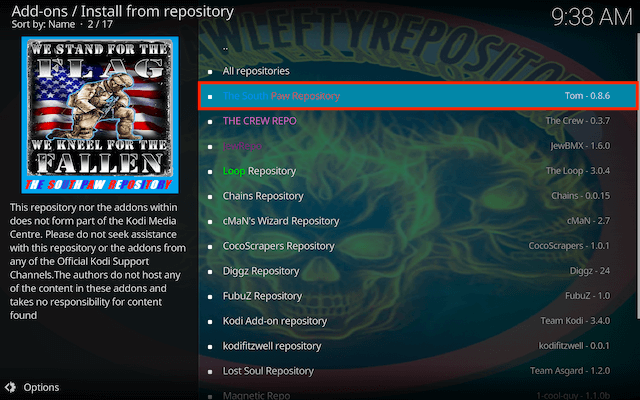
- Select Video add-ons
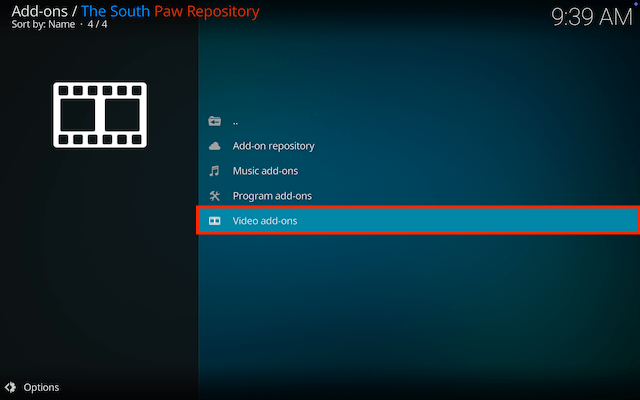
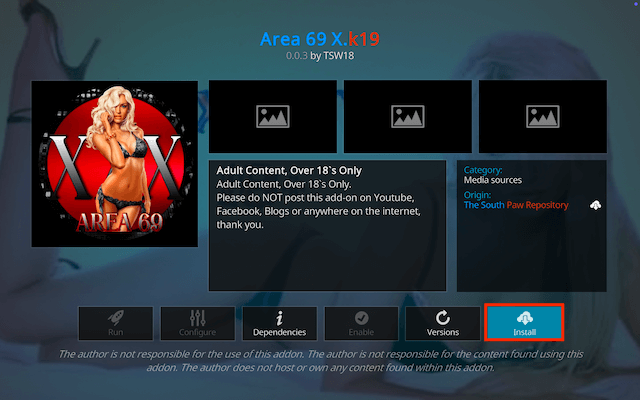
- Select Area69 k19
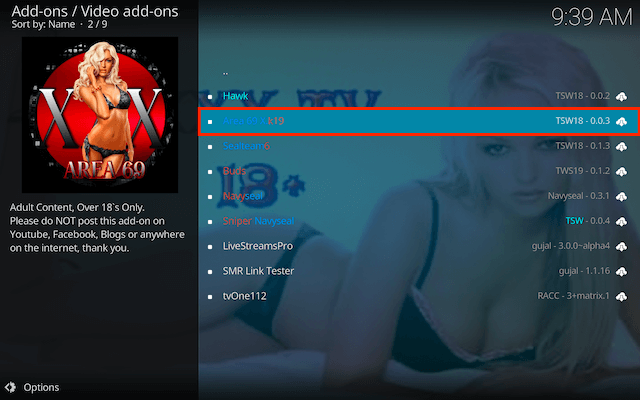
- Select Install
- Select OK
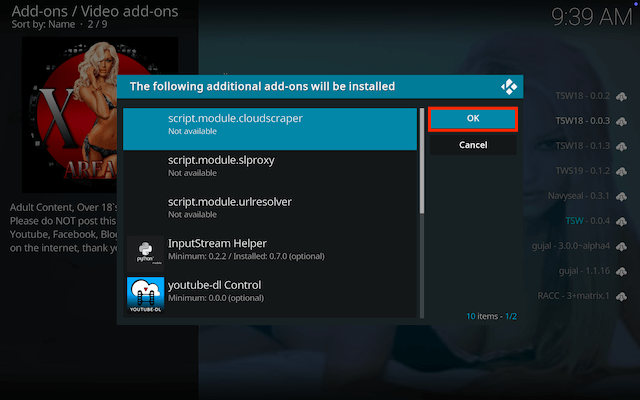
- Wait for Add-on installed notification
- Once you see the add-on installed notification it is ready to use and will be available in your add-ons section
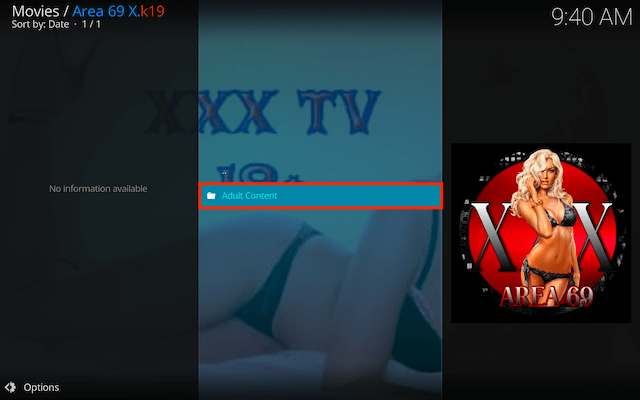
- When you open the add-on select Adult Content
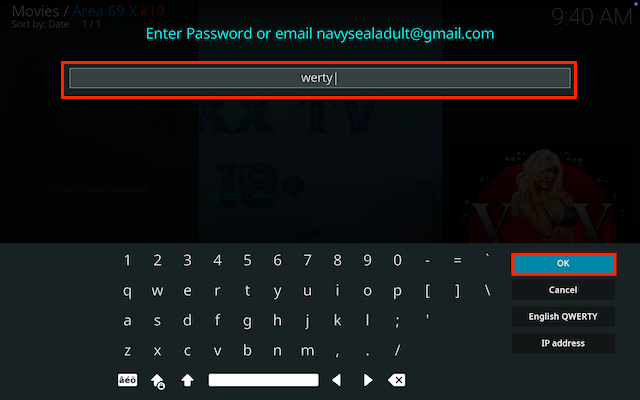
- Now enter the password ´werty´
VPN Offers from IPVanish
- VPN with malware & tracker blocking
- Cloud-based, threat-proof browsing
- Unlimited connections. Connect all your new devices
- Protect your browsing data with a verified no-logs VPN
- Encrypt your connection to any Wi-Fi network
- Costs as little as £1.58/$2.19 a month
- Securely access streaming services & live sports
- 30 days money back guarantee
[Use the link below] to find good deals from IPVanish.
[More Kodi Add-Ons Available Here]
Legal Disclaimer: This tutorial is purely educational. Seo-Michael.co.uk doesn’t own, host, operate, resell, or distribute any streaming apps, addons, websites, IPTV or services. The page contains some unverified services, and we are not certain whether they hold legal licenses to distribute the content. Seo-Michael.co.uk does not verify the legality of each app/service in all regions. Do your due diligence if you use any of the unverified apps/services, and stream only content that is available in the public domain. The end-user shall be solely responsible for the media accessed.
