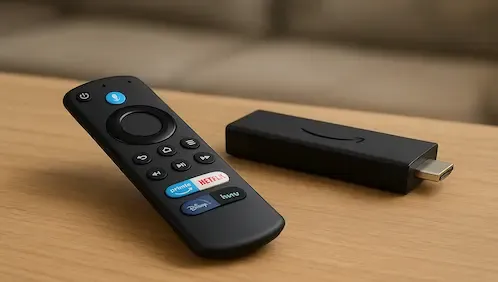
You may have recently noticed that Amazon has started blocking, disabling or even deleting certain applications. To bypass this do the following
- Protect your browsing data with a verified no-logs VPN
- Encrypt your connection to any Wi-Fi network
- Securely access streaming services & live sports
- 30 days money back guarantee
Use the link below to find good deals from IPVanish.

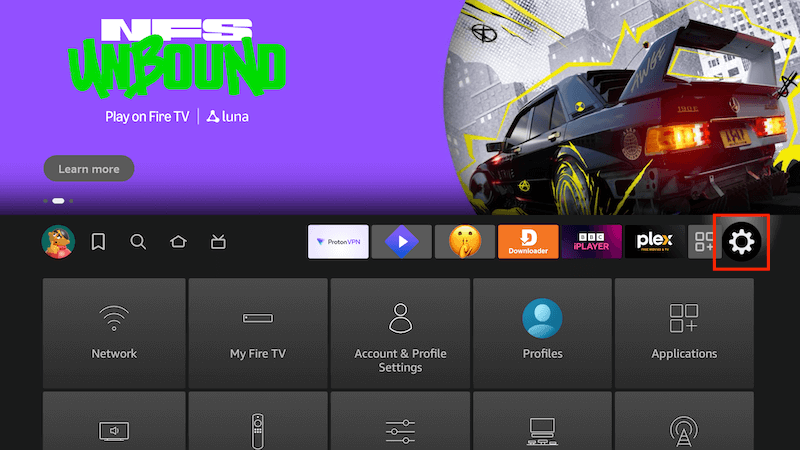
- Go to Settings
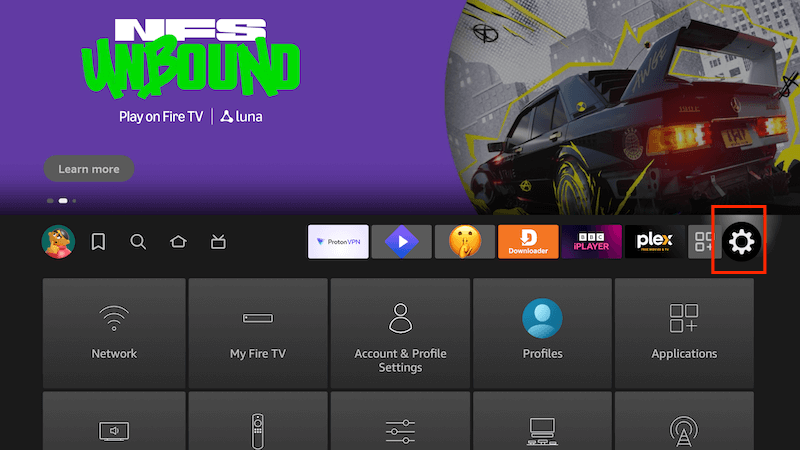
- Select Applications
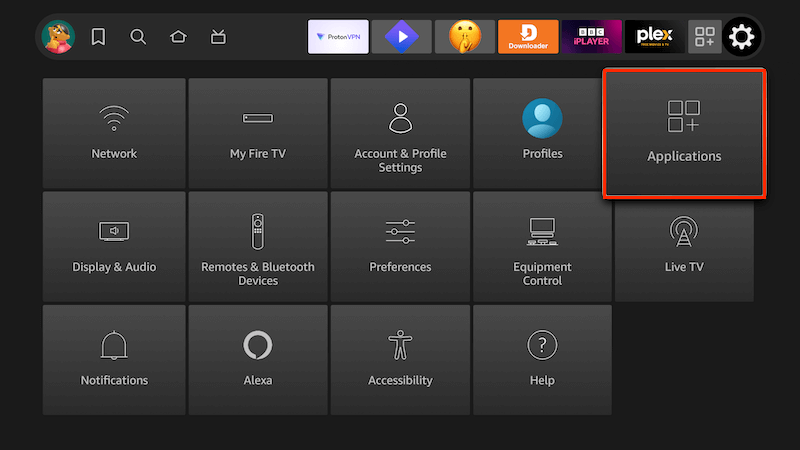
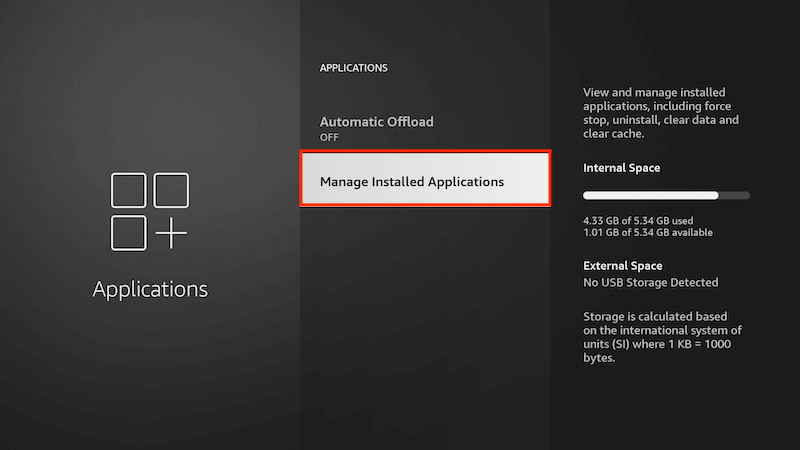
- Select Manage Installed Applications
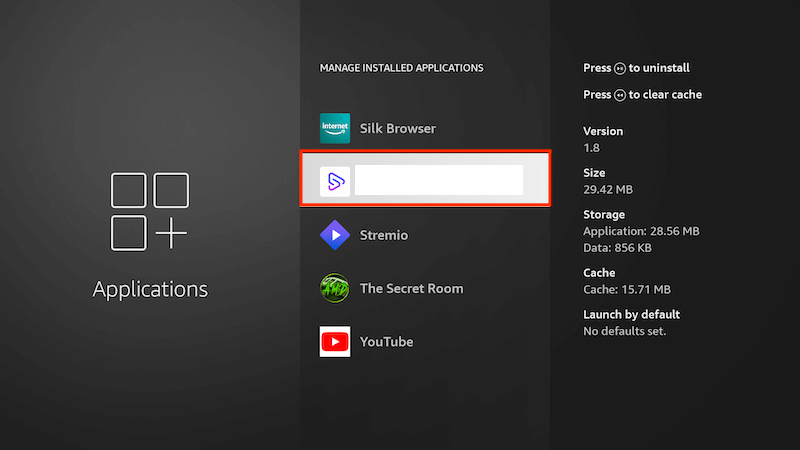
- Find the app in question and select it
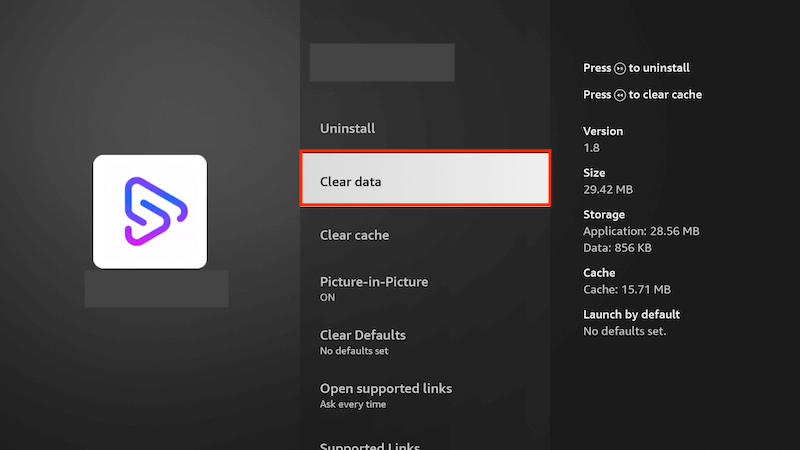
- Select Clear Data
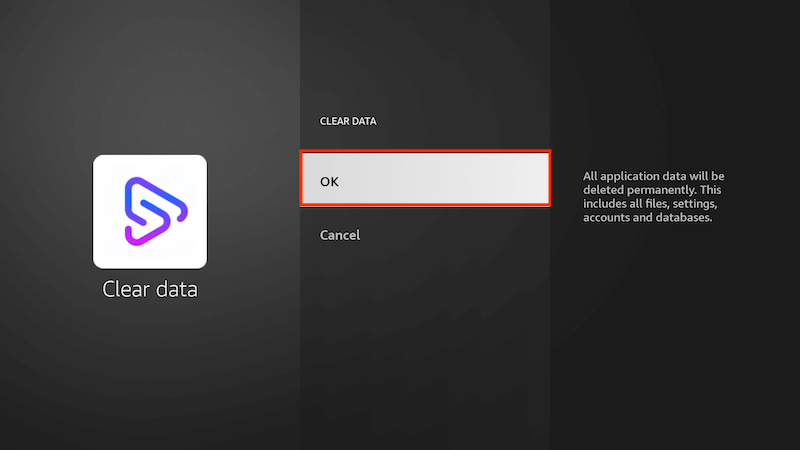
- Select OK
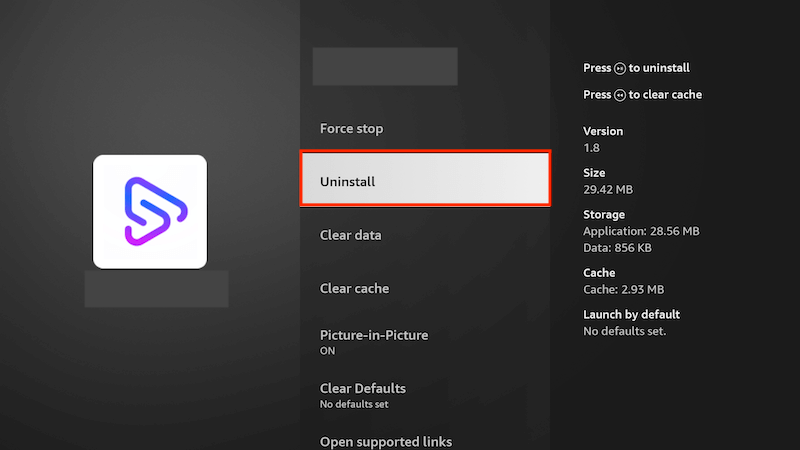
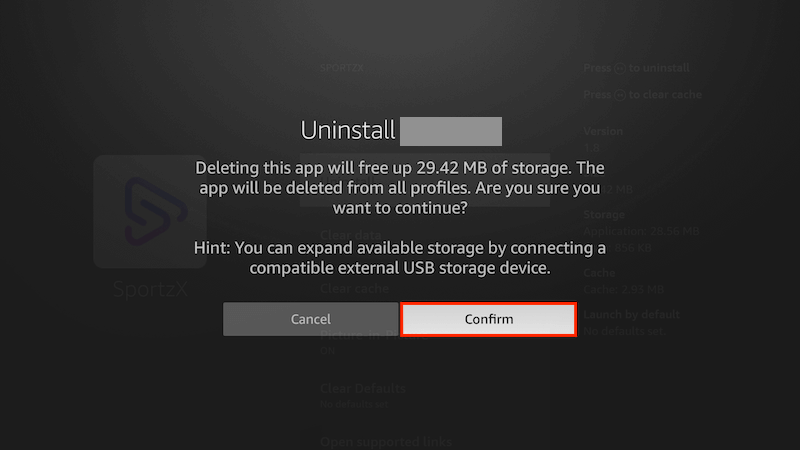
- Select Uninstall
- Select Confirm
- Go back to your Home Screen & select Settings again
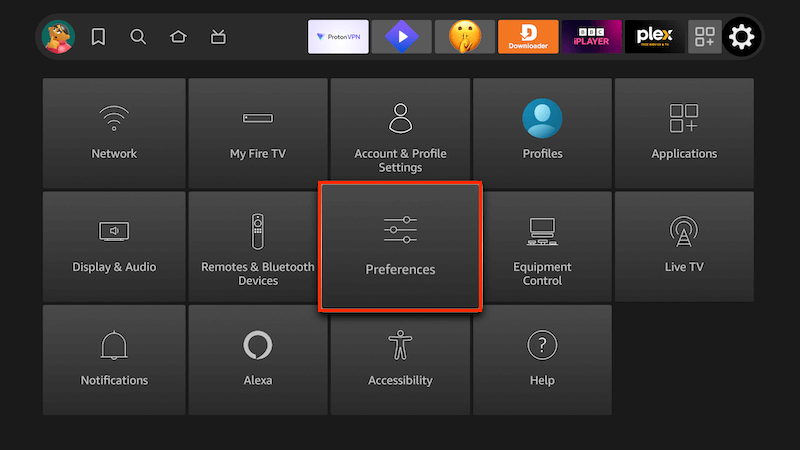
- Select Preferences
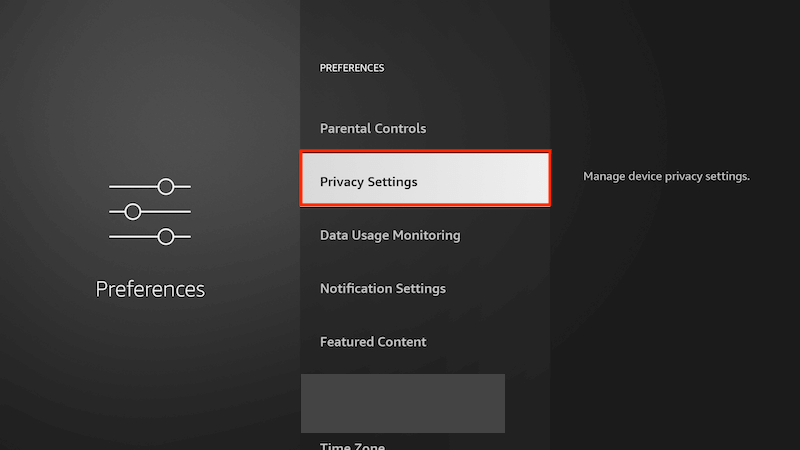
- Select Privacy Settings
- Select Manage sharing from apps
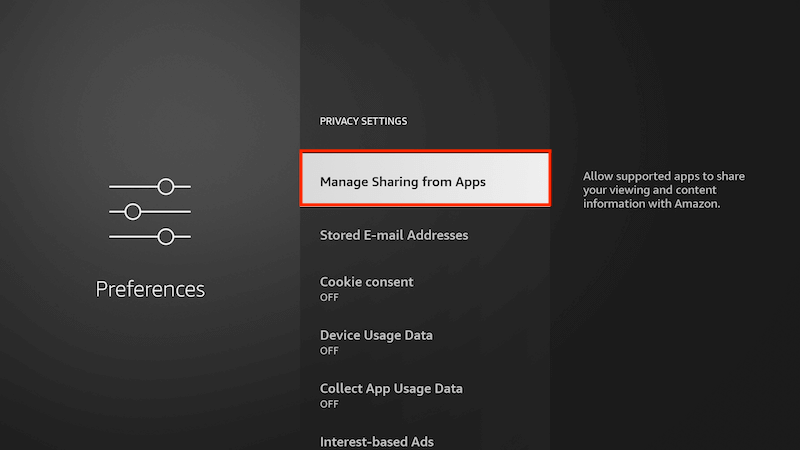
- Select "Share app viewing and content" (which should currently be set as ON)
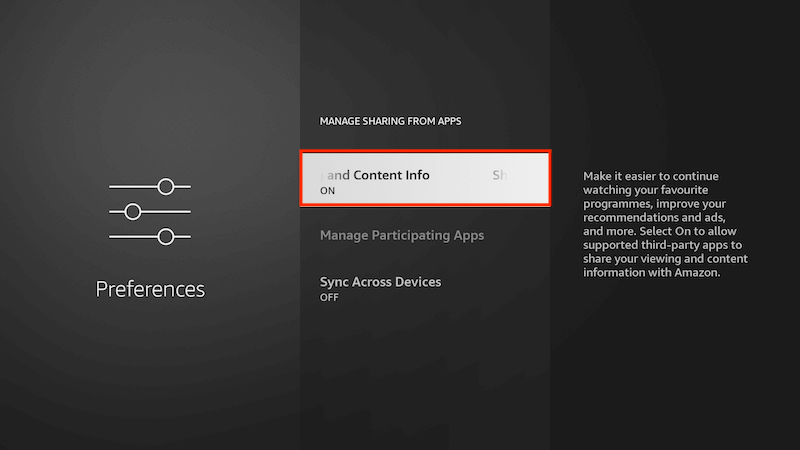
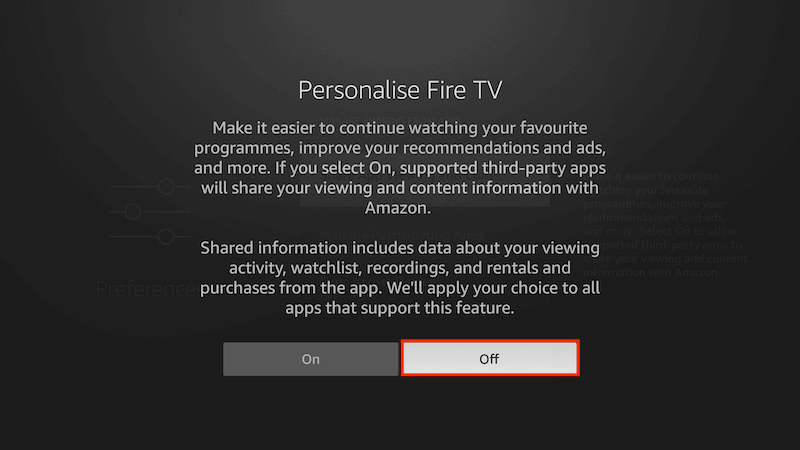
- Turn it off
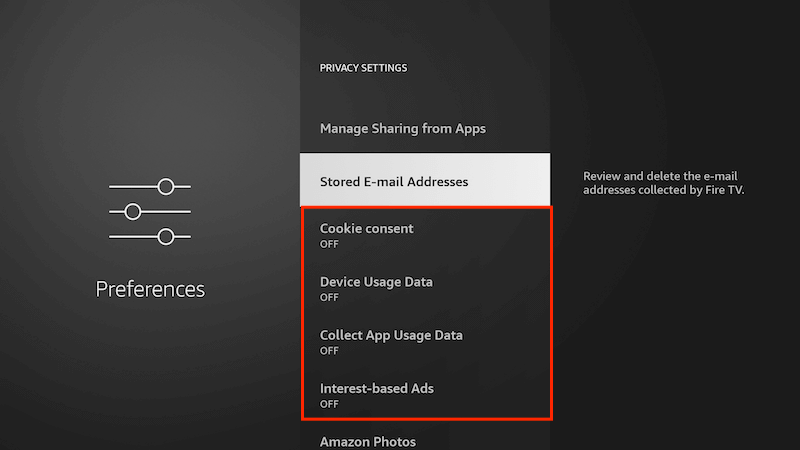
- Go back one screen back to PRIVACY SETTINGS & turn off the following:
- Cookie consent
- Device usage data
- Collect app usage data
- Interest based ads
- Now go to Settings on your home page again
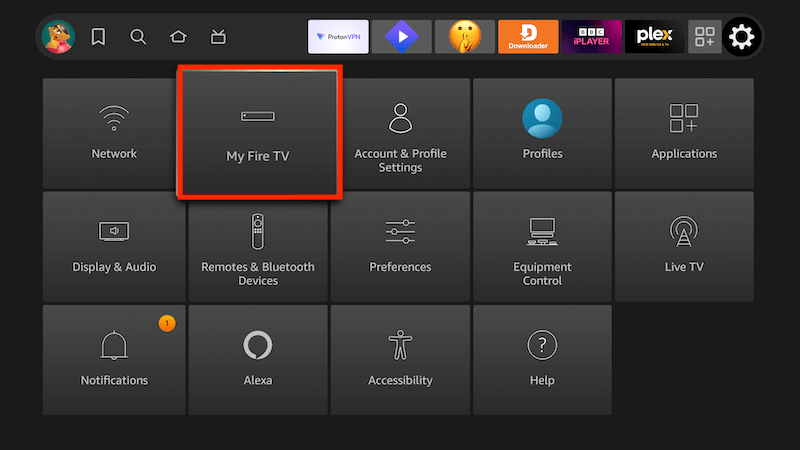
- Select My Fire TV
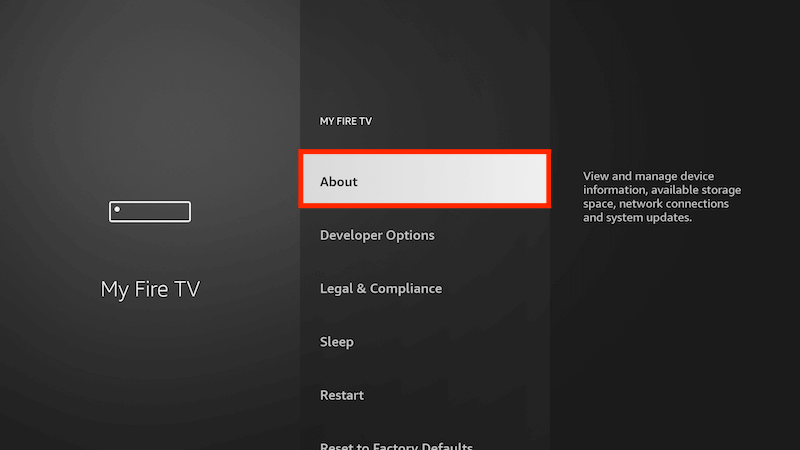
- Select About
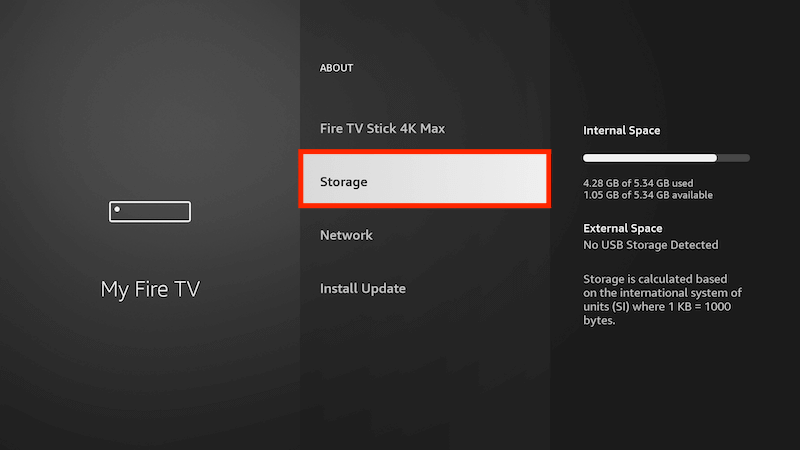
- Select Storage
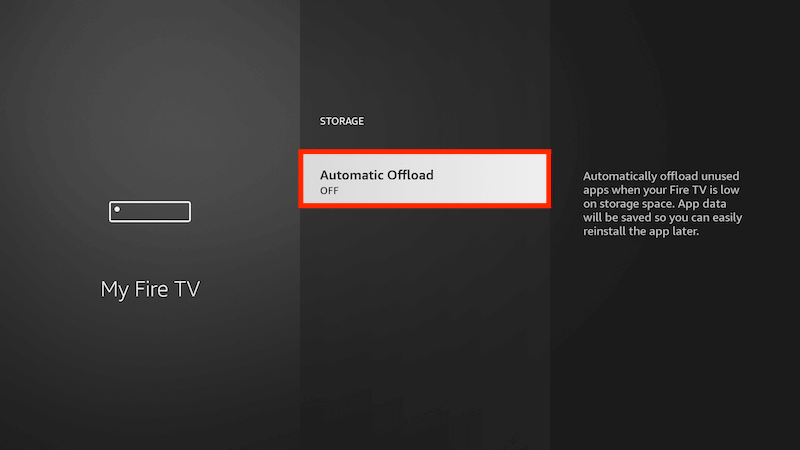
- Turn off Automatic Offload by clicking on it once
-
You should now be able to reinstall the app using instructions/Downloader found on this site. You may still see a message saying it has been disabled just click on the KEEP button
-
Protect your browsing data with a verified no-logs VPN
-
Encrypt your connection to any Wi-Fi network
-
Securely access streaming services & live sports
-
30 days money back guarantee
Use the link below to find good deals from IPVanish.
